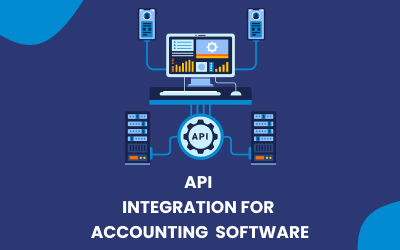
Last updated: August 2026. Standalone accounting software handles the books – but the hours disappear into everything around it: retyping invoices from your CRM, reconciling payment-gateway exports, keying in receipts. Accounting API integration removes that manual layer by letting your systems exchange financial data automatically. This guide covers what accounting APIs do, how QuickBooks, Xero, MYOB and FreshBooks compare for integration work, which five integrations to build first, when a Zapier workflow beats custom code, and what each option costs.
What an Accounting API Actually Does
An accounting API allows different software applications to exchange financial information automatically. Instead of manually exporting data from one system and entering it into another, an API allows applications to communicate programmatically.
For example, an accounting API can create an invoice when a customer completes an order, update a contact when customer information changes, record a payment, or send transaction data to the accounting system.
Common accounting API functions include:
- Invoices: Create, update, and retrieve invoices.
- Payments: Record payments and match them with invoices.
- Contacts: Create and update customers and suppliers.
- Journals: Send financial transactions and journal entries.
- Reports: Retrieve financial and accounting information.
- Expenses: Send expense information into the accounting system.
The Big Four Accounting APIs Compared
If you’re choosing an accounting platform for an integration project, four common options are QuickBooks Online, Xero, MYOB, and FreshBooks. Each has different strengths, authentication requirements, API capabilities, and ideal use cases.
| Accounting API | Authentication | Rate Limits (typical) | Best Fit |
|---|---|---|---|
| QuickBooks Online | OAuth 2.0 | ~500 requests/min per company file | US-focused businesses |
| Xero | OAuth 2.0 | ~60 calls/min, daily cap per tenant | Cloud accounting integrations (strong in AU/NZ/UK) |
| MYOB | OAuth 2.0 | ~8 calls/sec | Australian businesses |
| FreshBooks | OAuth 2.0 | Moderate; suits low-volume workflows | Freelancers and service businesses |
Rate limits change over time – always confirm current limits in the vendor’s developer documentation, and design integrations with queuing and retry logic so limits never cause data loss.
QuickBooks Online
QuickBooks Online provides API access for connecting accounting data with CRM systems, eCommerce platforms, payment systems, and other business applications. It is a strong option when a company already uses QuickBooks Online and wants to automate invoices, customers, payments, or financial records.
Best for: Businesses already using QuickBooks Online.
Xero
Xero provides APIs for working with accounting data such as invoices, contacts, payments, transactions, and journals. Its cloud-based architecture makes it suitable for businesses that want to connect accounting with other online systems.
Best for: Businesses using Xero that need custom accounting automation.
MYOB
MYOB provides API capabilities for connecting accounting data with external applications. It can be useful for businesses that need to synchronize customers, invoices, transactions, and other financial information.
Best for: Australian businesses using MYOB.
FreshBooks
FreshBooks provides API functionality for connecting clients, invoices, payments, expenses, and other accounting information with external applications.
Best for: Freelancers, consultants, agencies, and service-based businesses.
5 Accounting Integrations to Build First
Don’t try to automate every accounting process at once. Start with the workflows that involve repetitive data entry, large transaction volumes, or frequent reconciliation.
POS → Accounting Ledger
A POS system can send daily sales information directly to accounting software.
Before: An employee exports sales at the end of the day and manually enters totals into the accounting system.
After: The POS automatically sends sales, taxes, payment methods, and other required information to the accounting platform.
Payment Gateway → Accounting Reconciliation
Payment gateways such as Stripe and Ezidebit can generate large numbers of payments, refunds, and transaction fees. An API integration can transfer this information into accounting software and help match payments to invoices.
Before: Finance staff manually download payment reports and reconcile transactions.
After: Payment transactions and related fees are automatically synchronized.
CRM → Invoice Sync
Your CRM contains customer and sales information while your accounting platform handles invoices and payments. Connecting the two systems eliminates duplicate data entry.
Before: A salesperson closes a deal and the finance team manually creates the customer and invoice.
After: A completed deal automatically creates or updates the customer and triggers the invoice workflow.
This can be particularly useful with platforms such as Keap and HubSpot – here’s how the same pattern works for CRM API integration via Zapier.
Expense OCR → Accounting
OCR-based expense tools can read receipts and invoices and convert them into structured expense data.
Before: Employees manually enter supplier names, amounts, tax information, and expense categories.
After: OCR extracts the information and sends it to the accounting system for review.
This is useful for businesses processing large numbers of receipts and supplier invoices.
Payroll → Accounting Journals
Payroll information can be sent directly to the accounting system as journal entries after each payroll run.
Before: Payroll information is exported and manually entered into accounting software.
After: Salary, tax, benefits, and other payroll costs are automatically recorded as accounting entries.
Build vs. Buy
Not every accounting integration requires custom development. For simple workflows, automation platforms such as Zapier or Make can connect applications quickly. More complex workflows may require a custom API integration.
When Zapier or Make Is Enough
A connector-based solution is usually suitable when your workflow is straightforward and uses standard fields.
For example:
New HubSpot customer → Create QuickBooks customer
or:
New payment → Create accounting record
If the workflow doesn’t require complex data transformations or custom business rules, using an existing connector can save both development time and cost.
When You Need a Custom API Integration
Custom development makes more sense when you have high transaction volumes, custom fields, complex business rules, or specific security and compliance requirements.
For example, a company processing thousands of transactions may need custom error handling, retry logic, transaction queues, logging, reconciliation, and monitoring that a basic connector cannot provide.
Choose a custom integration when you need:
- High-volume processing
- Custom data mapping
- Complex business logic
- Custom fields
- Advanced error handling
- Compliance or security controls
- Multiple systems working together
What Does an Accounting API Integration Cost?
The cost depends on whether you’re using an existing connector or building a custom integration.
Connector-Based Integration
A straightforward Zapier or Make integration can typically start around $500–$2,000, depending on the number of applications, workflows, and configuration requirements.
This is usually the most affordable option when standard connectors already support the required workflow.
Custom API Integration
A custom accounting API integration can typically range from $3,000 to $15,000+, depending on complexity.
Factors that affect the price include:
- Number of applications
- Number of API endpoints
- Data transformation
- Custom fields
- Transaction volume
- Authentication
- Error handling
- Testing
- Monitoring
- Security and compliance requirements
A simple two-system integration may cost considerably less than a multi-system financial platform with complex reconciliation and high transaction volumes.
Why It Pays Off
The return on accounting integration comes from four places: time (no more end-of-day exports and re-keying), accuracy (machines don’t transpose digits – most reconciliation pain is manual-entry error), real-time visibility (cash flow, sales and outstanding invoices reflect reality now, not last week’s import), and scalability (an integration that handles 50 transactions a day handles 5,000 without hiring anyone). For most businesses the integration pays for itself within months simply in recovered staff hours.
Conclusion
Start small: pick the one workflow where your team retypes the most data – usually payments or invoices – connect it, and expand from there. Use Zapier or Make when standard connectors fit; invest in a custom API integration when volume, custom fields or compliance demand it.
This is exactly the work we do at Hike Branding – QuickBooks, Xero, MYOB and FreshBooks integrations for businesses in the US, UK and Australia, from simple Zapier workflows to custom high-volume API builds. Tell us what you’re retyping and we’ll tell you what it takes to automate it: call 1-844-366-4008 or email [email protected] for a free scoping conversation.
FAQ
Yes — both offer full REST APIs covering invoices, payments, contacts, and reports. Most business tools can be connected to either, natively or via a custom integration.
If both tools are on Zapier or Make, start there — no code. For high volume, custom fields, or complex logic, a direct API integration is more reliable and cheaper long-term.
Connector-based automations start in the hundreds; custom two-way API integrations typically run low-to-mid four figures depending on entities synced. We quote fixed prices after a free scoping call.