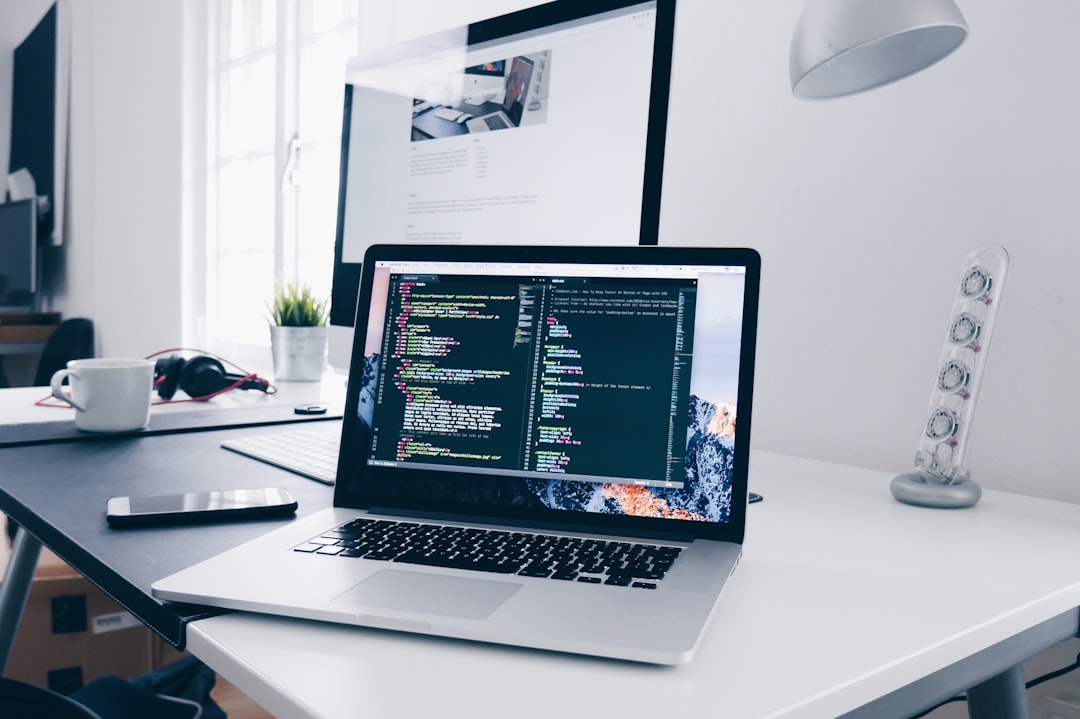
Building a business website used to mean choosing a website builder, learning a CMS, or hiring a developer before you could see the first working page. AI coding tools have changed that workflow. With Claude and Claude Code, you can describe what you want, generate and edit website files, improve existing code, and iterate much faster than a traditional blank-page development process.
But there is an important difference between generating a website and launching a reliable business website. A site still needs the right structure, mobile responsiveness, working forms, analytics, security, backups, accessibility, search-engine visibility, and a safe deployment process.
This guide explains a practical way to build your own website with Claude AI, what you can reasonably do yourself, and where technical help can save time and reduce risk.
Quick answer: Yes, Claude can help you create the code and content for a website. For a simple business site, landing page, portfolio, or prototype, a non-developer can do a surprising amount with clear prompts. Publishing it to a real domain and maintaining it safely may still require hosting, DNS, server, security, SEO, or integration work.
What Can Claude Actually Do for a Website?
Claude can assist with many parts of the web-development process. Claude Code is designed to work with codebases, edit files, run commands, and help developers or technically confident users complete coding tasks. In practical website work, that can include:
- Creating HTML, CSS, JavaScript, React, Next.js, or other front-end code from a written brief.
- Redesigning sections of an existing website and keeping styles more consistent across pages.
- Writing page copy, headlines, FAQs, calls to action, metadata, and structured content.
- Reviewing code for obvious errors and helping troubleshoot layout or functionality problems.
- Improving responsive behavior for desktop, tablet, and mobile screen sizes.
- Helping add forms, analytics snippets, schema markup, redirects, or integrations when the technical requirements are clear.
- Working through repetitive updates across multiple files more quickly than editing everything manually.
The quality of the result still depends heavily on your instructions, the existing code, the technologies involved, and how carefully the final website is tested. If you already have a Claude-generated site and want to move it into a CMS, see our guide on converting a Claude-generated HTML website into WordPress.
Step 1: Decide What Type of Website You Need
Do not start by asking Claude to “make me a website.” Start with a small specification. Claude produces better results when you define the business goal, audience, pages, features, style, and technical constraints.
For example, define:
- Business type and target customer.
- Primary goal: phone calls, form leads, bookings, ecommerce sales, waitlist signups, portfolio views, or something else.
- Required pages: Home, About, Services, Service detail pages, Locations, Blog, Contact, Privacy Policy, etc.
- Brand colors, logo, fonts, reference websites, and preferred visual style.
- Functions such as contact forms, booking, CRM integration, chat, ecommerce, maps, testimonials, calculators, or member login.
- Whether you want a lightweight static site, a framework-based site, or a CMS that non-technical staff can edit.
Step 2: Give Claude a Website Brief, Not Just a One-Line Prompt
A useful prompt should give Claude enough context to make design and technical decisions without guessing. You can ask it to first produce the sitemap, page goals, component list, and content requirements before it writes code.
Example prompt: Create a fast, mobile-first website for a local accounting firm. The goal is consultation requests. Use a professional, clean design with Home, Services, About, Industries, Resources, and Contact pages. Build reusable navigation, footer, service cards, FAQ sections, and conversion-focused calls to action. Keep the code easy to maintain. Before coding, give me the sitemap, page objectives, reusable components, SEO fields, and anything you still need from me.
This approach reduces random design decisions and gives you a structure you can review before a large amount of code is generated.
Step 3: Build in Small Sections and Review Each One
Instead of generating an entire website and fixing hundreds of details later, work in stages. Start with the global layout and homepage. Then add reusable components and secondary pages. After each stage, ask Claude to inspect its own work against your original requirements.
- Header, navigation, footer, global typography and spacing.
- Homepage sections and primary conversion path.
- Service and location page templates.
- Forms and integrations.
- Blog/article templates.
- Cookie, privacy, legal, accessibility, and tracking requirements as applicable.
Step 4: Check the Website on Real Screen Sizes
AI-generated code can look excellent in one preview and still break at another width. Test the website on desktop, tablet, and mobile. Pay special attention to navigation menus, long headings, buttons, forms, pricing tables, images, grids, sticky elements, popups, and horizontal scrolling.
Ask Claude to fix specific observed problems rather than giving a vague instruction such as “make it responsive.” For example: “At 390px width the pricing cards overflow and the main CTA wraps onto three lines. Update the layout without changing desktop styling.”
Step 5: Make the Website Search-Engine Friendly Before Launch
A visually attractive website is not automatically SEO-friendly. Google recommends making content understandable to users and search engines, using crawlable pages, descriptive titles, useful content, and a technically accessible site. Before launch, review at least the following:
- One unique, descriptive title tag and meta description for every important page.
- One clear H1 per page, followed by logical H2 and H3 sections.
- Useful page copy that answers the searcher’s real question instead of thin, generic AI text.
- Descriptive internal links between related pages.
- Clean URLs and a logical site structure.
- Image compression, dimensions, descriptive file names, and alt text where appropriate.
- Canonical tags, robots directives, XML sitemap, and redirects when migrating an old site.
- Organization/LocalBusiness, Article, Breadcrumb, Product, Service, or other structured data only when it accurately matches the page.
- Google Search Console and analytics setup so indexing and performance can be monitored after launch.
Step 6: Do Not Treat Production Hosting Like a Playground
This is where many DIY AI website projects become risky. Giving an AI coding workflow unrestricted access to a live production server can create avoidable problems. A safer setup normally includes version control, backups, restricted credentials, staging, and a rollback plan.
Recommended safety rule: Use the least access required. Keep a recent backup. Prefer a staging or version-controlled workflow for meaningful changes, and do not expose production passwords, API keys, customer data, or sensitive configuration inside prompts or source files.
Step 7: Connect the Website to Your Domain and Hosting
Once the site is ready, it needs a server or hosting platform, domain/DNS configuration, SSL, deployment, and often email/form delivery configuration. The exact process depends on the technology Claude created.
For example:
- A static HTML/CSS/JavaScript website can usually be hosted with a straightforward web-server setup.
- A React or Next.js project may need a build/deployment workflow and a compatible runtime.
- A PHP or WordPress project requires a suitable PHP/database environment and different update rules.
- Forms may need SMTP, an API, CRM integration, spam protection, and testing so inquiries actually arrive.
- Existing domains may require careful DNS changes to avoid interrupting email or other services.
Can You Keep Updating the Website Yourself with Claude?
Yes, and this may be the most useful part of the model for a small business. Once the website and workflow are set up correctly, you can use Claude for many routine changes: rewriting a service section, adding a FAQ, changing a CTA, creating a new landing page from an existing template, updating images, or adjusting layout details.
The goal does not have to be replacing every developer task. A better goal is reducing the number of small changes that require outside help while keeping professional support available for complex development, security, integrations, performance, migrations, and SEO.
Hike Branding Can Set Up the Technical Side for You
If you like the idea of building or maintaining your website with Claude but do not want to manage hosting, deployment, server configuration, DNS, backups, or the initial technical setup, Hike Branding can help bridge that gap.
Our current Claude website setup model is simple:
- You can use your own Claude account and remain involved in the website creation process.
- For suitable website stacks and hosting environments, we can configure a secure workflow that lets Claude-assisted development work with your website files.
- We can prepare the hosting/server environment, deploy the site, connect the domain, configure SSL, and test the launch.
- We can review SEO basics, forms, analytics, mobile layout, performance, and technical issues before the site goes live.
- You can continue making many content and design changes yourself, while Hike Branding handles the work that needs a developer.
Hike Branding offer: Claude website setup and launch service: $500. Managed hosting options start from $25/month. Final technical approach depends on the website stack, required integrations, and whether direct AI-assisted access can be configured safely for that environment.
Is Building a Website with Claude Right for Your Business?
It can be a strong fit if you want more control, are comfortable describing changes in plain language, and need a straightforward marketing website or landing-page system. It is especially useful for owners who regularly update offers, service copy, FAQs, landing pages, or local pages.
A conventional development workflow may still be preferable when the website involves complex ecommerce, sensitive customer data, custom applications, sophisticated permissions, high-traffic infrastructure, regulated data, or integrations where a mistake can affect business operations.
Frequently Asked Questions
Can Claude build a complete website?
Claude can generate and edit website code and assist with content, layout, debugging, and development tasks. A complete production launch still requires testing, hosting, domain configuration, security, forms, analytics, and SEO checks.
Do I need to know coding to build a website with Claude?
You do not need to be an experienced developer to create a simple site, but basic understanding helps when reviewing errors and deployment choices. Professional setup can reduce the technical burden.
Can Claude update my website after it is live?
Potentially, yes. The safest method depends on your hosting and website stack. For production websites, use controlled access, backups, version control, staging, and a rollback process rather than unrestricted access.
Is an AI-generated website good for SEO?
It can be, but the tool that created the code does not determine rankings. The site still needs useful content, crawlable pages, strong information architecture, good metadata, mobile performance, internal links, and ongoing improvement.
How much does Hike Branding charge for Claude website setup?
Hike Branding offers a $500 setup and launch service for suitable projects. Hosting options start from $25 per month. Scope can vary if the project requires custom applications, migrations, ecommerce, or advanced integrations.
Final Takeaway
Claude can make website creation and ongoing editing dramatically more accessible, but the best result comes from combining AI speed with a dependable technical foundation. Build in small steps, test the site like a real customer, protect the production environment, and make SEO part of the build instead of an afterthought.
If you want to control more of your website through Claude while Hike Branding handles the setup, hosting, launch, and technical safeguards, contact Hike Branding to discuss whether your website is a good fit for the $500 Claude website setup service.
FAQ