Introduction:
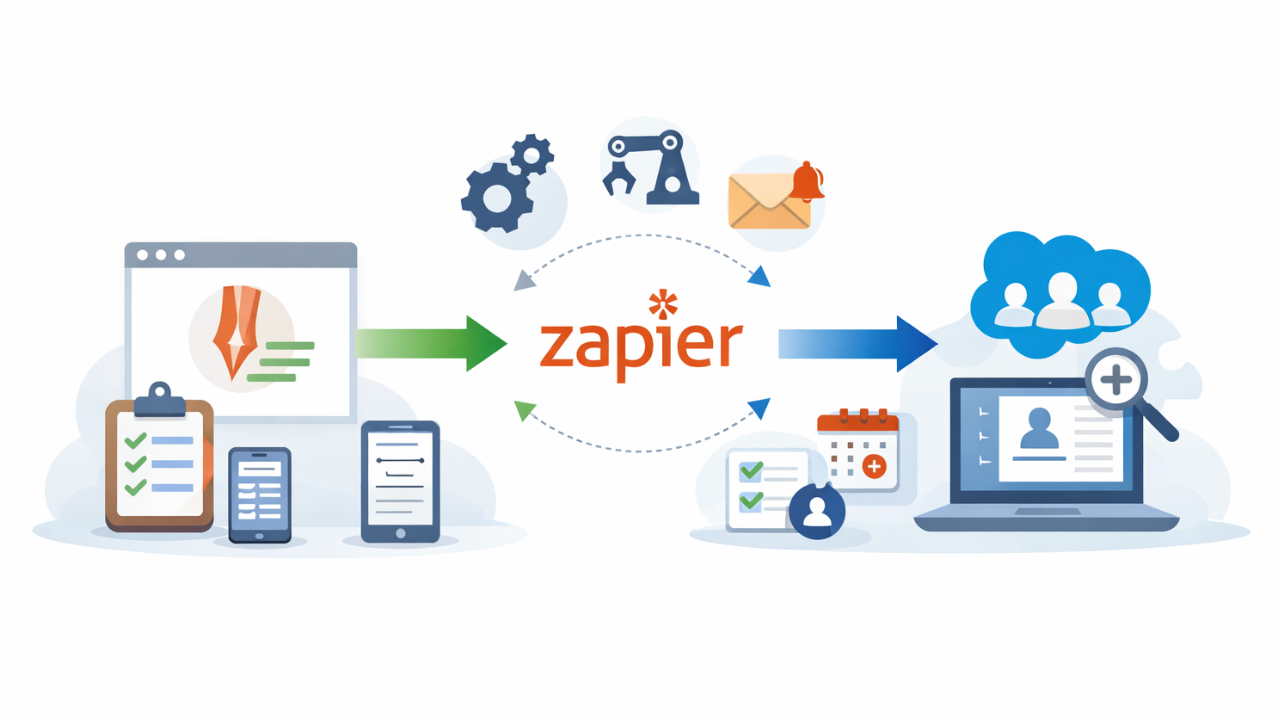
Managing leads efficiently is a key component of any successful sales strategy. Manual data entry and follow-up tasks can slow down your process and increase the risk of missed opportunities. By integrating JotForm with Salesforce using Zapier, you can automate the entire lead creation process from capturing data to assigning tasks and sending out notifications. This automation by Hike Branding, not only enhances productivity but also ensures a faster, more consistent response to new leads.
Auto Lead Creation:
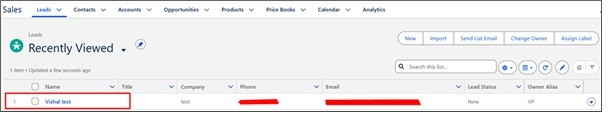
Instantly create a new lead in Salesforce whenever a JotForm submission is received.
Task Auto-Assignment:
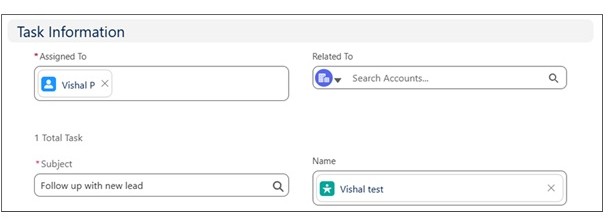
Automatically assign follow-up tasks to specific users in Salesforce based on lead data or predefined rules.
Real-Time Alerts:
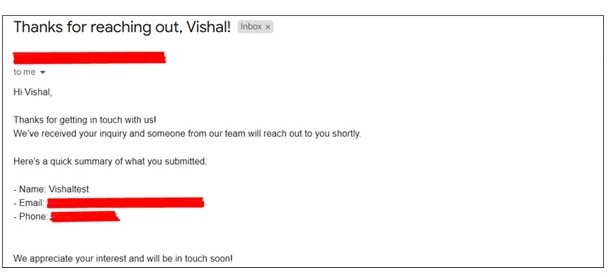
Send real-time email notifications to the lead when their information is submitted, ensuring prompt engagement and acknowledgment.
Error-Free Process:
Minimize human error by removing the need for manual data entry and task creation.
Scalable Workflow:
Easily modify or expand your automation as your team grows or your processes evolve.
Platforms:
We used JotForm, Zapier, and Salesforce to automate lead handling.
Automation Process:
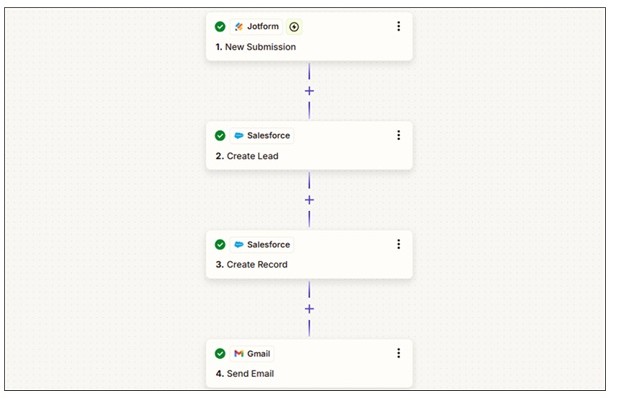
When a JotForm is submitted, Zapier create a lead in Salesforce, assigns a task based on the details and send an email.
Steps:
1. Jotform Setup:
- Log in to Jotform and create newform.
- Choose “Start From Scratch” or “Use Template”.
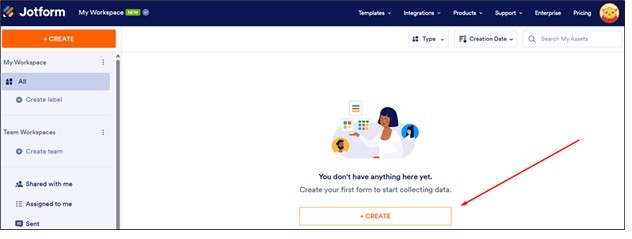
- Select “Classic Form” or “Card Form” in the form layout.
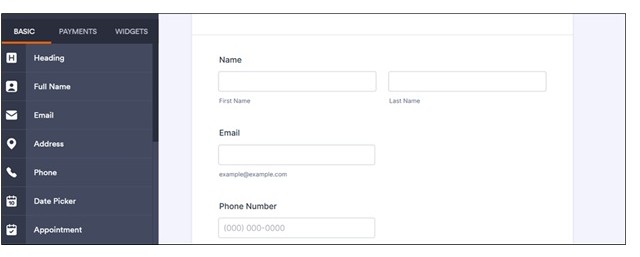
- Click the “Add Form Element” button to add fields to the form.
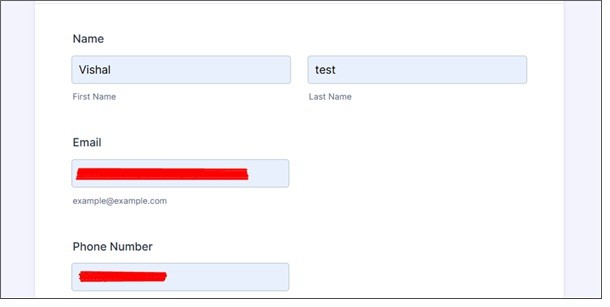
- Set the corresponding form fields.
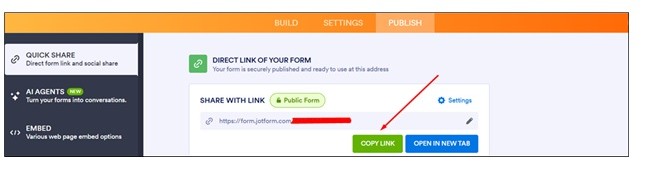
- Go to the “Publish“ tab and copy the form link.
2. Zapier Setup:
- Create a Zap and select Jotform as the trigger app.
- Choose a trigger event and connect your JotForm account.
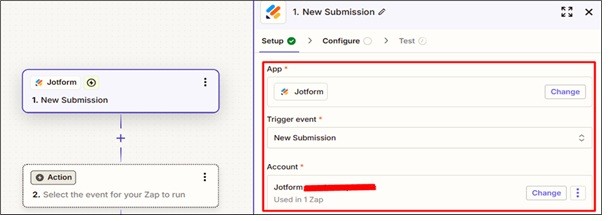
- Select Salesforce as the action app.
- Connect your Salesforce account and choose “Create Lead” as the action event.
- Map the JotForm fields to the corresponding Salesforce lead fields.
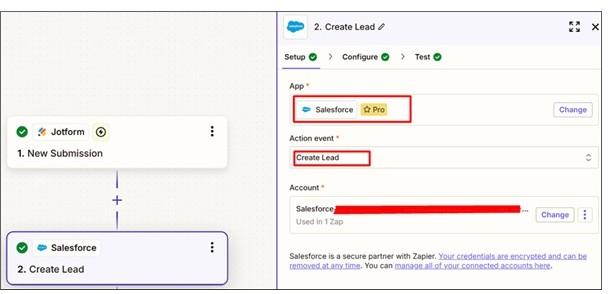
- Add another action by selecting Salesforce again and choose the “Create Record” action.
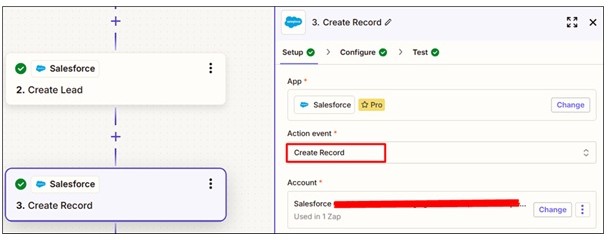
- Choose “Task” in the Salesforce Object field.
- Assign the task to the existing lead by selecting the Lead ID from the previous step in the “Name” field.
- Add the desired Subject for the task.
- Select the appropriate Owner ID in the “Assigned To” field.
- Add another action by selecting the Gmail app and choose the “Send Email” action event.
- Map the Lead email address to the “To” field.
- Add the email subject and body content as desired.
Results:
1. Jotform
2. Zapier
3. Salesforce
4. Email
Conclusion:
Automating lead creation from JotForm to Salesforce through Zapier is a powerful way to streamline your sales workflow. By eliminating manual steps, assigning tasks automatically, and sending real-time notifications, your team can respond to leads faster and more efficiently. This integration by Hike Branding, not only saves time but also helps maintain accuracy and consistency in your lead management process.