Introduction
If you’re using GoHighLevel (GHL) for lead management and automation, you already know how powerful it is for emails and SMS. But today, businesses are moving one step further—automating voice calls using AI.
Imagine this: every time a new lead comes in, your system automatically calls them, speaks like a human, records the conversation, and updates your CRM—all without human involvement.
This is exactly what you can achieve with a GoHighLevel Vapi integration.
What is GoHighLevel Vapi Integration?
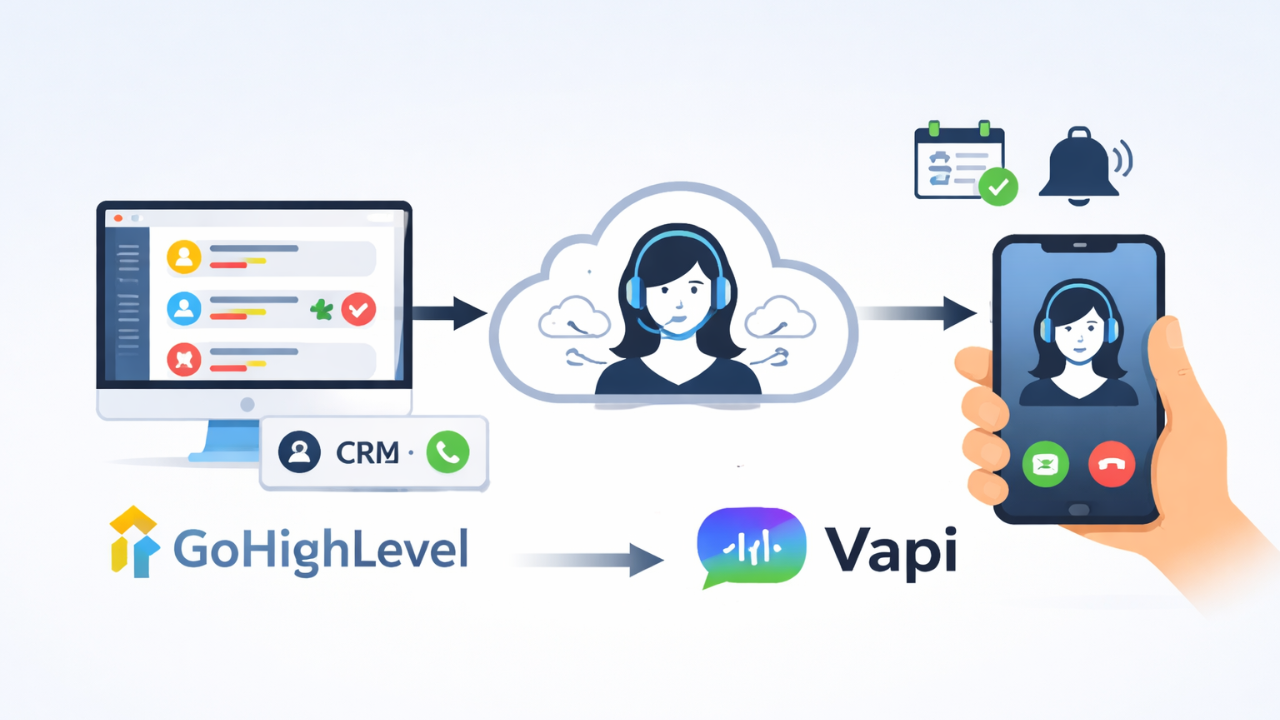
GoHighLevel is a CRM and marketing automation platform widely used by agencies and businesses. Vapi is an AI voice platform that allows you to create intelligent voice agents capable of making and handling calls.
When integrated, you can automate AI phone calls directly from GoHighLevel workflows, making it one of the most powerful communication automation systems available today.
How AI Calling Works in GoHighLevel (Step-by-Step)
Here’s how the integration works in a real-world setup:
1. Trigger Based on Tag or Workflow
A contact is tagged in GoHighLevel—for example:
-
New Lead
-
Follow-up Required
-
Missed Appointment
2. Workflow Sends Data to Vapi
GoHighLevel triggers a webhook or API call to Vapi with contact details.
3. Vapi Starts AI Voice Call
The AI agent calls the contact using a predefined script.
4. AI Conversation Happens
The AI interacts with the lead, answers questions, or collects responses.
5. Data Sync Back to GoHighLevel
After the call, the system updates GHL with:
-
Call recording link
-
Transcript
-
Call status (answered, missed, failed)
-
Outcome tags
Everything is stored inside your CRM automatically.
Why Businesses Are Automating Calls with AI
1. Instant Lead Response
Speed matters. Calling leads within seconds dramatically increases conversion rates.
2. No Manual Calling Needed
Eliminate the need for a sales team to handle repetitive calls.
3. 24/7 Availability
AI can call and respond anytime—day or night.
4. Better Tracking & Insights
All call data is stored inside GoHighLevel for analysis and follow-up.
5. Scalable Communication
Handle hundreds of calls daily without increasing team size.
Top Use Cases for GoHighLevel AI Calling
-
Lead qualification and screening
-
Appointment booking and reminders
-
Missed call follow-ups
-
Patient engagement (Healthcare)
-
Real estate inquiry handling
-
Customer feedback and surveys
Real Example Workflow
Let’s say you run a clinic:
-
A patient fills out a form
-
They are tagged as “New Patient” in GHL
-
AI calls them instantly to confirm details
-
Call recording and summary are saved in GHL
-
Based on response, automation sends appointment link
This entire flow runs without manual work.
Why You Need Custom Integration
While GoHighLevel and Vapi are powerful tools, setting up a reliable system requires:
-
API integration and webhook setup
-
Custom field mapping
-
Workflow automation design
-
Error handling and fallback logic
Without proper setup, you may face missed calls or incorrect data syncing.
Final Thoughts
AI voice automation is quickly becoming a must-have for businesses that want to scale communication without increasing workload.
With a properly configured GoHighLevel Vapi integration, you can build a system that:
-
Calls leads automatically
-
Records and analyzes conversations
-
Updates your CRM in real-time
-
Triggers smart follow-ups
All without manual effort.
Want to Automate Your Calls in GoHighLevel?
We build custom AI calling systems using GoHighLevel and Vapi tailored to your business workflows.
👉 Reach out to set up your AI voice automation system today.